


Search News
Global Industrial Intelligence Hub (GIIH)Industry Portal
Global Industrial Intelligence Hub (GIIH)Status
Standard Access
Upgrade to PremiumNewsWhat makes IoT home security systems easy to bypass?
Time
Click Count
As smart home protection becomes central to any lifestyle upgrade, many users still underestimate how easily weak passwords, outdated firmware, and poor network setup can expose IoT home security devices. This article explores what makes these systems easy to bypass, helping information researchers and operators identify practical risks, strengthen defenses, and make safer decisions in an increasingly connected home environment.
For procurement teams, home system integrators, and technical operators, the issue is not whether an IoT home security system has advanced features, but whether those features are deployed securely across the full device lifecycle. A camera with motion alerts, a smart lock with app control, and a connected alarm hub may look robust on paper, yet a single weak configuration point can reduce the entire system to an easy target.
In the broader smart living systems market, bypass risk has become a practical decision factor. Buyers now evaluate not only video resolution, battery life, or automation compatibility, but also firmware maintenance cycles, encryption support, network segmentation, credential control, and incident response readiness. Understanding what makes these systems vulnerable is the first step toward selecting and operating them more effectively.
Why IoT Home Security Systems Become Easy to Bypass

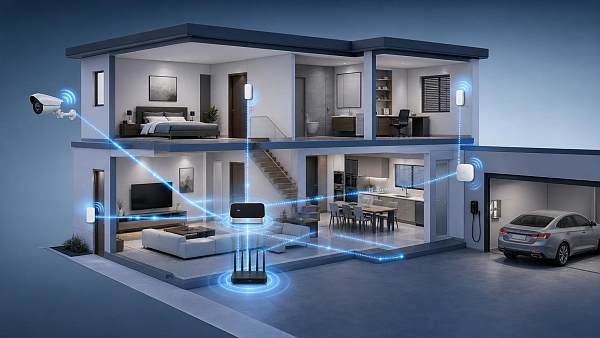
Most bypass incidents do not begin with highly sophisticated attacks. In many cases, they start with basic weaknesses that remain unresolved for 30, 60, or even 180 days after deployment. Smart cameras, video doorbells, alarm panels, sensors, and smart locks often sit on the same home network, and that shared environment creates multiple entry points for attackers.
The most common causes include default passwords, reused credentials, unpatched firmware, insecure mobile apps, exposed cloud interfaces, and weak Wi-Fi settings. When operators focus only on installation speed or feature activation, security hardening is often delayed. That delay creates a gap between product capability and real-world protection.
Another reason is ecosystem complexity. A typical connected home may include 8 to 25 devices from 3 to 7 vendors. Each device may have its own app, update method, login policy, and cloud dependency. The more fragmented the environment, the harder it becomes to maintain consistent security controls.
Bypass also happens because many users assume physical presence is required to compromise a home security device. In reality, weak remote access settings, open ports, poor API protection, or insecure account recovery flows can allow unauthorized access without touching the device directly. For operators and information researchers, this means risk assessment must cover the network, the account layer, and the device itself.
The 4 most frequent weak points
- Credential weakness: default admin names, passwords shorter than 10 characters, or reused passwords across devices and apps.
- Patch delay: firmware updates skipped for 3 to 12 months, leaving known vulnerabilities exposed.
- Flat network design: cameras, laptops, phones, and automation hubs all share one router segment.
- Cloud dependence without review: users trust remote access services without checking encryption, account recovery, or login alert settings.
These weaknesses are not limited to low-cost products. Even mid-range and premium devices can be bypassed if deployment quality is poor. In B2B evaluation terms, product security posture depends on both design security and operational discipline.
Technical Paths Attackers Commonly Use
Understanding attack paths helps procurement teams and operators prioritize controls. Not every attacker uses the same method, but most bypass attempts follow predictable patterns. They usually target the easiest point in the chain rather than the most advanced component in the system.
In practical terms, a bypass may occur through account takeover, local network intrusion, wireless interception, firmware exploitation, or insecure integrations with third-party platforms. If the system relies on one mobile app and one cloud account to manage all devices, then that single account becomes a high-value target.
The table below outlines common bypass routes, their operating conditions, and the likely business impact. This is useful for research teams comparing device classes, as well as operators mapping high-risk controls before installation.
The key takeaway is that bypass does not always mean “breaking” a device. In many cases, attackers simply log in, move laterally through a weak home network, or exploit a known unpatched function. From a risk management perspective, this is more dangerous because it may not trigger immediate alarms.
Where system design often falls short
Manufacturers frequently optimize for convenience. Fast pairing in under 5 minutes, app-first setup, and voice assistant compatibility improve adoption, but they can also encourage users to skip secure onboarding steps. If a setup flow does not force password changes or multi-factor authentication, the device may remain vulnerable from day 1.
Operators should also watch for insecure third-party integrations. A smart lock linked to a voice platform, automation engine, and delivery access feature may involve 4 or more trust relationships. Each additional integration expands the attack surface and increases the number of credentials, tokens, or permissions that must be controlled.
High-risk assumptions to avoid
- If the device is indoors, it is not exposed. Remote exposure often happens through accounts and cloud services.
- If the brand is well known, the default settings are safe enough. Secure operation still depends on user configuration.
- If alerts are active, compromise will be obvious. Some bypass events leave monitoring functions intact while quietly changing access permissions.
Configuration Mistakes That Increase Bypass Risk
Configuration errors remain the fastest route to compromise. In many home and small-scale managed environments, deployment teams complete device pairing but do not complete hardening. That means the system is technically active, but not operationally secure. For security cameras, door sensors, and smart locks, the gap can be significant within the first 24 to 72 hours of use.
A common example is weak credential management. If one installer account is shared across households or if users keep a default password because changing it feels inconvenient, the system inherits a predictable weakness. Another recurring issue is poor firmware governance. Some devices require manual updates every 30 to 90 days, yet many operators do not track versions after initial setup.
Network design also matters. A flat home network means a compromised laptop, low-cost smart plug, or guest phone can become a pivot point toward higher-value security devices. Segmenting IoT devices onto a dedicated SSID or VLAN is often one of the most practical protective steps, especially in homes with more than 10 connected endpoints.
The following table summarizes configuration decisions that frequently make IoT home security systems easier to bypass and what operators should do instead.
The most effective controls are usually simple and repeatable. Strong passwords, 2-factor authentication, monthly patch review, and network separation do not eliminate all risk, but they raise the effort required to bypass a system. For operators managing multiple installations, standardizing these controls can reduce avoidable exposure across every site.
A practical hardening checklist
- Change all default credentials during installation and disable unused accounts within the first session.
- Enable multi-factor authentication for app and cloud access wherever supported.
- Review firmware status every 30 days and replace devices that no longer receive security updates.
- Place IoT security devices on a separate network and restrict local admin access to trusted devices only.
- Test alert delivery, event logs, and recovery procedures at least once every quarter.
How Buyers and Operators Should Evaluate Secure Deployment
For buyers in the smart living systems market, secure deployment should be treated as part of the product specification, not as an optional afterthought. A device that offers 2K or 4K video, 6-month battery life, and AI motion detection may still create operational risk if it lacks a clear update process, account protection controls, or secure data handling practices.
A strong evaluation model should combine device-level, network-level, and vendor-level questions. Device-level checks include local encryption, secure boot support, update frequency, and event logging. Network-level checks include compatibility with segmented Wi-Fi, admin restrictions, and remote access controls. Vendor-level checks include support response, documented vulnerability handling, and product lifecycle transparency.
This matters especially for information researchers who compare suppliers or create market intelligence reports. In a crowded market, products can look similar on feature sheets. The real differentiation often appears in maintenance discipline, patch windows, security documentation, and support readiness over 12 to 36 months.
Key criteria for procurement and system selection
The table below can be used as a procurement reference when comparing IoT home security systems for residential projects, channel sales, or managed deployment programs.
The most resilient purchasing decisions are those that treat security as a lifecycle metric. Instead of asking only what the device can do today, ask what can be maintained, monitored, and recovered over the next 1 to 3 years. That approach aligns better with total cost of ownership and reduces bypass-related operational surprises.
A 5-step deployment workflow
- Assess the site and count connected devices, routers, apps, and access roles before purchase.
- Select products with documented update support and access control features.
- Install on a segmented network with unique passwords and restricted admin rights.
- Validate alerts, logs, firmware status, and account recovery flows within 7 days.
- Review the environment every quarter and retire unsupported hardware on schedule.
Operational FAQs and Risk Reduction Priorities
For many users and operators, the challenge is not understanding that IoT home security systems can be bypassed, but knowing which actions should come first. The most efficient strategy is to start with controls that reduce the largest amount of risk with the least operational friction.
In most residential and small managed deployments, four priorities deliver the best return within the first 14 days: password replacement, multi-factor authentication, firmware updates, and network segmentation. These measures do not require enterprise-scale infrastructure, yet they significantly reduce the chance of a simple bypass.
Below are common questions that information researchers and operators often raise when evaluating smart security environments.
How often should firmware be reviewed?
A practical baseline is once every 30 days for active devices such as cameras, alarm hubs, and smart locks. If the device supports automatic updates, the operator should still verify successful installation and confirm no failed updates remain pending for more than 7 days.
Is a strong router enough to protect all IoT security devices?
No. A secure router is important, but it cannot compensate for weak app credentials, outdated firmware, insecure cloud sessions, or excessive third-party permissions. Router security should be treated as one layer in a 4-layer model: device, account, network, and service platform.
When should a device be replaced instead of patched?
If the manufacturer no longer provides security updates, if the app is unsupported, or if the device lacks critical controls such as MFA integration or encrypted access, replacement should be considered. A practical threshold is when a device has reached end-of-support or has had no meaningful security maintenance for 12 months or longer.
What is the biggest mistake in multi-device homes?
The biggest mistake is treating the smart home as a single trusted environment. Homes with 15 or more connected devices should assume that at least one endpoint may be weak. Segmenting critical security devices from entertainment, guest, and low-cost IoT equipment is one of the most effective ways to contain risk.
IoT home security systems are easy to bypass when convenience outruns control. Weak passwords, delayed firmware updates, poor network design, and unchecked cloud access create opportunities that attackers can exploit without advanced methods. For buyers, researchers, and operators, the right response is not fear, but disciplined evaluation and structured deployment.
At GIIH, we focus on translating fragmented technology signals into practical decision support for smart living systems and broader industrial intelligence needs. If you are comparing products, planning a more secure deployment model, or building a sourcing framework for connected home security solutions, now is the right time to review your assumptions and strengthen your criteria.
Contact us to explore tailored research support, product evaluation guidance, or broader smart security market insights. You can also reach out to learn more solutions for safer, more resilient connected living environments.
Last:NoneRecommended News
 Sep 05, 2026Which Smart Living Device Categories Are Growing Fastest in 2026?What Smart Living device categories are growing fastest in 2026? Explore high-demand opportunities in security, energy management, automation, care monitoring, and smart appliances.
 Aug 24, 2026US Imposes 100% Additional Tariff on Certain Drones Effective August 13US imposes 100% additional tariff on certain drones effective August 13. Learn which drone products are covered, the compliance risks, and how importers and exporters should respond now.
 Aug 23, 2026When does facial recognition access make sense for home entry security?Facialrecognitionaccess makes sense when your home needs fast, hands-free entry for multiple residents. Discover when it improves convenience, privacy, and daily security.
 Aug 20, 2026What drives IoT home security price from basic setups to smart systemsIoT home security price depends on hardware, connectivity, AI features, installation, and subscriptions. Learn what raises costs and how to choose smarter value.
 Aug 10, 2026What Range and Signal Factors Matter Most in Long Range Home Systems?Long range home systems perform best when range, frequency, interference, wall materials, and placement work together. Learn what really affects reliable coverage before you buy.
 Aug 09, 2026EU CE Rule Takes Effect for IoT Home Security DevicesEU CE Rule for IoT Home Security Devices takes effect: learn how EN 303 645:2026 impacts CE marking, compliance, cybersecurity, suppliers, and EU market access.
 Aug 08, 2026EU Enforces EN 303 645:2026 v2.1 for IoT Security DevicesEN 303 645:2026 v2.1 now shapes EU access for IoT security devices. Learn how the new certification rules affect customs clearance, firmware checks, and shipment timelines.
 Aug 07, 2026EU CE Rule Takes Effect for IoT Home Security DevicesEU CE Rule takes effect for IoT home security devices in 2026. Learn how EN 303645-2, ETSI TS 103 645, and Notified Body certification will impact EU market access.
 Aug 06, 2026EU EN 303645-2:2026 Takes Effect for Home IoT SecurityEU EN 303645-2:2026 takes effect for home IoT security on Nov 1, 2026. Learn how CE-RED+Cybersecurity Module and remote diagnostic interface rules impact EU market access.
 Aug 05, 2026EU WEEE Rules Add Remote Diagnostics for IoT Home DevicesEU WEEE rules now require remote diagnostics and firmware upgrade interfaces for IoT home devices. Learn the compliance risks, CE impact, and how exporters can avoid EU customs rejection.
 Aug 04, 2026EU Tightens RoHS Lead Limits for IoT Home DevicesEU Tightens RoHS Lead Limits for IoT Home Devices: learn how the new EU RoHS amendment impacts smart lighting, home security, testing, sourcing, and compliance timelines.
 Aug 03, 2026EU Extends WEEE Duties to IoT Home ExportersEU Extends WEEE Duties to IoT Home Exporters: learn how the 2027 EU WEEE revision impacts smart home compliance, authorized representatives, costs, and market access.
 Aug 02, 2026EU Tightens Cybersecurity Certification for IoT Home DevicesEU Tightens Cybersecurity Certification for IoT Home Devices: learn how CRA and CRPA rules affect CE+CR marking, customs clearance, and EU market access before 2026.
 Aug 01, 2026EU Requires CRA Certification for IoT Home DevicesEU CRA certification for IoT home devices is now critical for smart locks, cameras, and alarms entering the EU. Learn the compliance risks, CE+CRA marking needs, and supply chain actions to protect market access.
 Jul 22, 2026How to Choose a Smart Access Control Terminal for Offices, Factories, and WarehousesSmart access control terminal buying guide for offices, factories, and warehouses. Learn how to compare security, integration, resilience, and scalability for smarter site decisions.
 Jul 15, 2026Commercial Office Home Control Systems: What Features Matter Most in Daily UseCommercial office home control systems work best when daily use stays simple. Learn which features improve efficiency, reduce errors, and support smarter office operations.
 Jul 14, 2026Smart Home Protection App Control: Key Functions, Setup Steps, and Common IssuesSmart home protection app control made simple: explore key functions, setup steps, common issues, and practical fixes to improve security, reliability, and peace of mind.
![]() Jul 07, 2026Smart Access Control Price Guide: What Affects System Cost for Homes, Offices, and Sites?Smart access control price guide for homes, offices, and multi-site projects. Learn what drives system cost, from hardware and installation to software, integration, and long-term value.
Jul 07, 2026Smart Access Control Price Guide: What Affects System Cost for Homes, Offices, and Sites?Smart access control price guide for homes, offices, and multi-site projects. Learn what drives system cost, from hardware and installation to software, integration, and long-term value. Jul 04, 2026Flame Retardant Home Systems: Key Ratings, Materials, and Installation MistakesFlame retardant home systems explained: compare key fire ratings, common materials, and costly installation mistakes to choose safer, compliant solutions.
 Jul 03, 2026Smart Technology Access Control: Which System Fits Multi-Entrance Buildings Best?Smart technology access control for multi-entrance buildings: compare cloud, mobile, biometric, and hybrid systems to find the best fit for security, flow, scalability, and cost.
 Jul 02, 2026Metal Housing Smart Access Control: What to Check for Outdoor and High-Traffic SitesMetal housing smart access control: learn what to check for outdoor and high-traffic sites, from weather resistance to integration and lifecycle cost, before you choose.
 Jun 29, 2026Global Connected Home Technology Standards: Interoperability, Security, and Certification BasicsGlobal connected home technology standards shape interoperability, security, and certification success. Learn the basics to reduce launch risk, speed approvals, and improve cross-market product reliability.
 Jun 25, 2026Flame Retardant Connected Home Technology: Which Standards and Materials MatterFlame retardant connected home technology explained: compare key standards, materials, and compliance risks to build safer smart devices and speed market access.
 Jun 08, 2026How to Choose Wireless Security Systems for Homes: Cameras, Sensors, and CoverageWireless security systems for homes made simple: learn how to choose cameras, sensors, and coverage that fit your layout, budget, and daily routine for smarter protection.